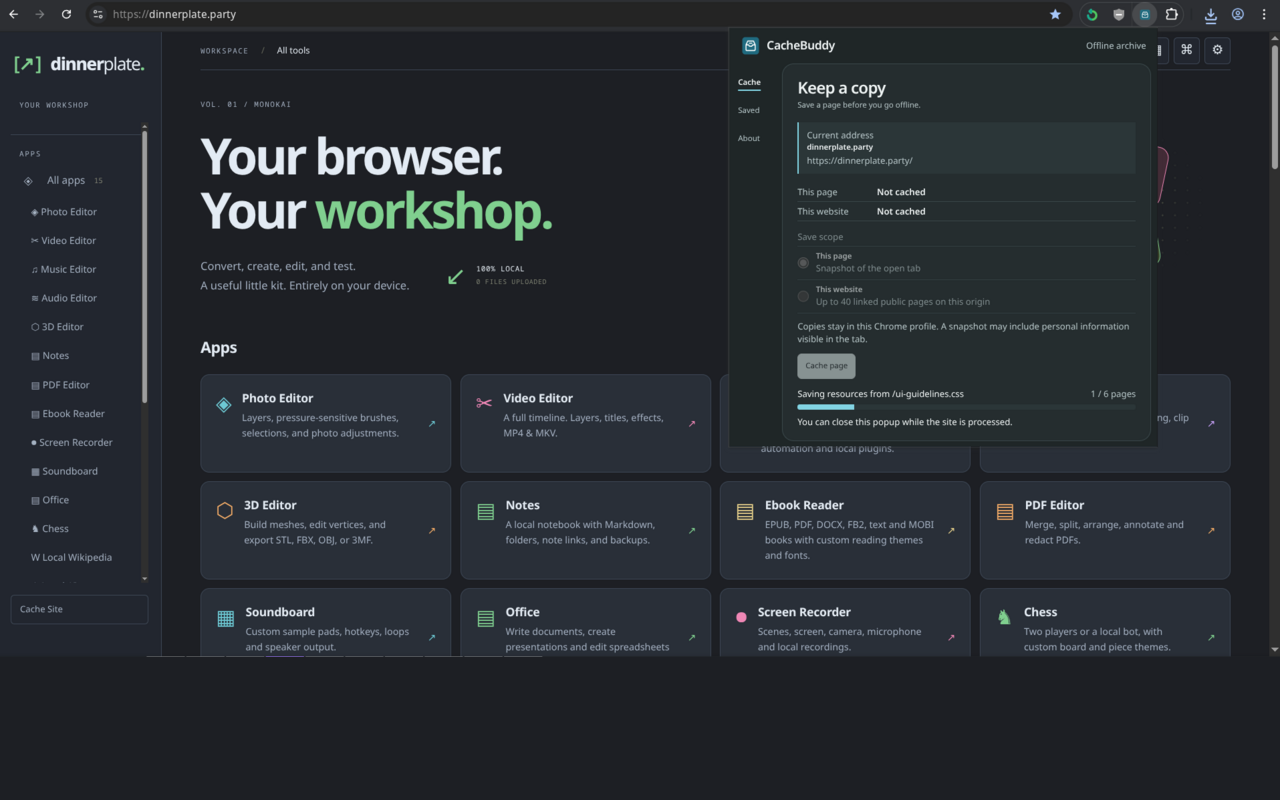
CacheBuddy saving pages on Dinnerplate. The extension UI may change.
01 / Install
Get CacheBuddy
Pick the ZIP for your browser from GitHub Releases. You can also install CacheBuddy from the Chrome Web Store or Firefox Add-ons.
Chrome and Chromium
Install the Chrome Extension, or extract the Chromium ZIP. Open chrome://extensions in Chrome, or the extensions page in your Chromium browser. Turn on Developer mode, choose Load unpacked, and select the extracted folder containing manifest.json.
Firefox
Install the Firefox Extension for permanent installation. For a temporary development installation, open about:debugging, select This Firefox, then Load Temporary Add-on. Choose the Firefox ZIP. Firefox removes this unsigned build on restart. Permanent installation requires a Mozilla-signed build.
02 / Use
Save, Then Read Offline
Pick a Scope
Open an HTTP or HTTPS page and click the CacheBuddy icon. Choose This page for the current tab or This website for linked public pages on the same origin.
Start the Save
Click Cache page or Cache website and allow site access if prompted. Reopen the popup any time to check progress.
Open a Copy
Visit the original address offline or choose a copy under Saved. To refresh a copy, use Check for changes or Update. Use Uncache or delete it from Saved to free local storage.
03 / How it works
What Gets Saved
Static Copies, Stored Locally
Page mode can capture the current tab’s rendered HTML. Website mode follows up to 40 linked public pages on the same origin. Enable Save images and other media to embed supported images, audio, and video, including resources from external hosts such as Wikimedia. Approve the optional website access when prompted, then Update existing copies to include missing media. Files are limited to 4 MB each and archives to 96 MB. CacheBuddy sanitizes captured markup.
Replay After a Network Failure
When a supported top-level navigation fails and a matching copy exists, CacheBuddy opens its offline viewer and shows the original address. Large or unavailable media, streaming players, dynamic content, and interactive features may be omitted. The offline banner can be dismissed with ×.
Save only content you have permission or another lawful basis to archive. For details on local data and browser permissions, read the Privacy Policy.